Perspectiv private beta · Q2 2027 · CRM and Knowledge hub first. Other capabilities follow in stages.Apply for the private beta →
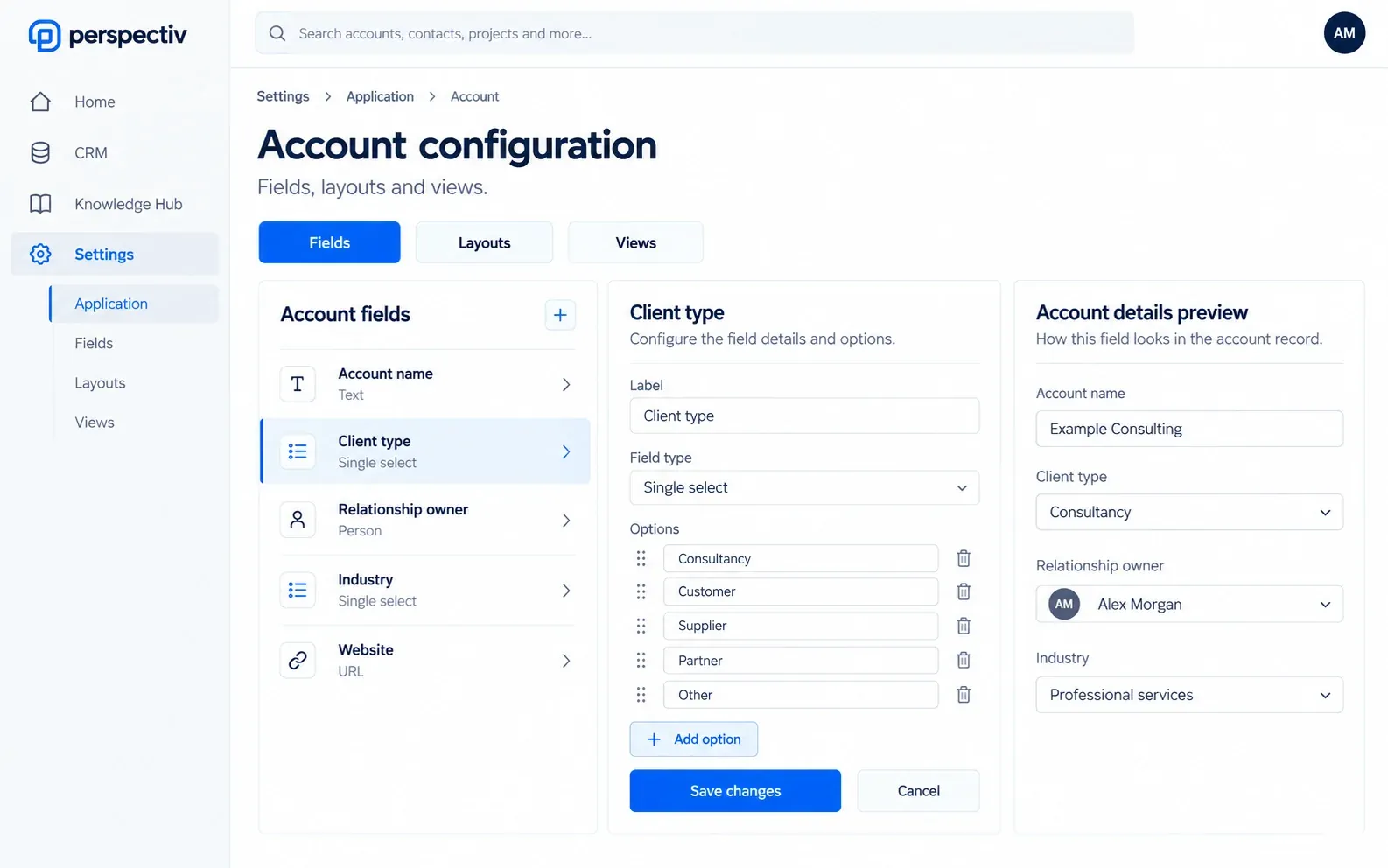
Configure records in three clear steps.
- Choose the recordStart with the object and business context.
- Shape the experienceArrange fields, layouts and shared views.
- Review the changePublish a clear, controlled update.
Tailor the application to your organization.
- Your fieldsAdd the information your business needs to a record.
- Record layoutsArrange forms with a drag-and-drop layout.
- Review before publishingCheck changes before they go live.
- Shared viewsGive teams useful starting views and navigation.
- Names and numberingUse business terminology and controlled record numbers.
- Application brandingManage logos, app icons and shared announcements.
Full forms and portals remain Planned: This beta focuses on record configuration (fields, layouts and views) and related settings. Full Forms and questionnaires, and Portals and sites, are separately Planned capabilities.
Everything in Application configuration
Shape the application to your business: records, forms, views, navigation, forms and portals.
Objects and forms
- Objects and metadata
- Form layouts by drag and drop
- Your own fields on any record
- Changes reviewed before they go live
Views and navigation
- Saved views shared with teams
- Navigation configuration
- Rename records and fields
- Shared application settings
Forms and portals
- A reusable forms and questionnaire builder
- Sites and portals set-up
- Domain registration and configuration
- Shared portal sign-in and branding
Numbering and branding
- Your own record numbers, prefixes and formats
- Separate invoice numbering for each legal entity
- Light and dark logos, app icon and favicon
- An announcement banner for all users
Configure CRM records within the right permissions and tenant-wide defaults.
Each module keeps its own availability.
Common questions
Questions
Is this the personal settings page?
No. This controls the shared application; individual preferences remain separate.
Are full forms and portals in the beta?
No. Forms and questionnaires, and Portals and sites, are separately Planned capabilities.