Perspectiv private beta · Q2 2027 · CRM and Knowledge hub first. Other capabilities follow in stages.Apply for the private beta →
A simple setup, a more consistent organization.
- Set the tenant contextChoose the shared organizational defaults.
- Enable the right modulesReview availability and licensing independently.
- Keep control clearLock shared defaults and manage type definitions centrally.
Everything you need to configure and control.
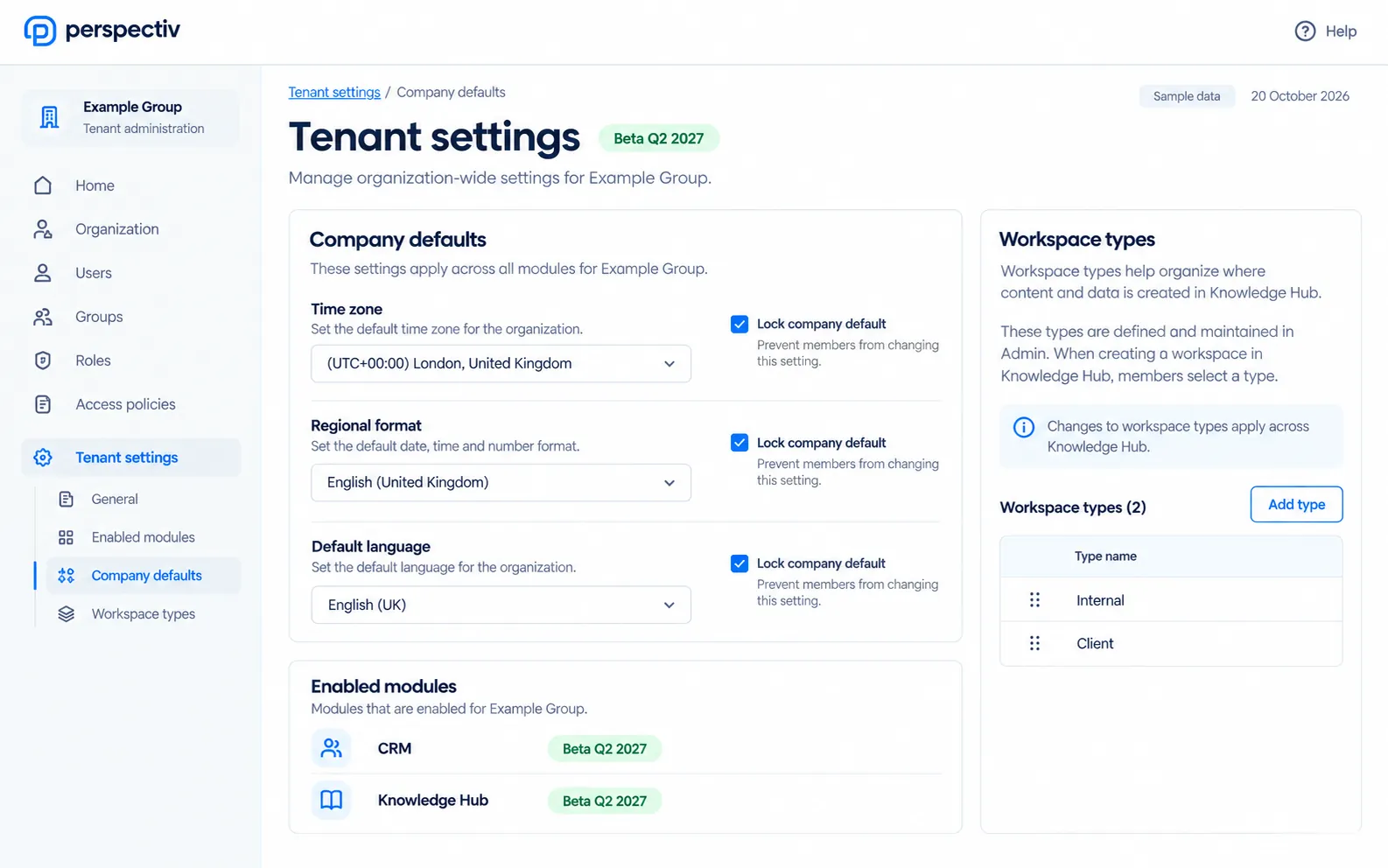
- Tenant preferencesManage the settings shared across your organization.
- Independent modulesEnable modules separately; areas are not bundles.
- Subscription administrationKeep tenant licensing administration in its proper place.
- Controlled defaultsSet company defaults and lock them when needed.
- Workspace type definitionsMaintain type definitions centrally in Admin; Knowledge hub selects them.
Everything in Tenant settings
The settings that apply to your whole organization’s Perspectiv.
Tenant
- Tenant preferences
- Tenant-wide configuration
- General tenant settings
Modules and licensing
- Enabled modules
- Subscription and licensing administration
- Turn modules on independently: areas are not bundles
Defaults
- Company defaults you can lock
- A starter setup for your type of business
Build on a connected platform.
Start with the organization structure, control administrative access and let Knowledge hub use centrally defined workspace types.
Common questions
Questions
Are areas sold as mandatory bundles?
No. Modules can be enabled independently.
Where do personal preferences belong?
In the personal settings experience, separate from tenant administration.