Perspectiv private beta · Q2 2027 · CRM and Knowledge hub first. Other capabilities follow in stages.Apply for the private beta →
From first step to next action
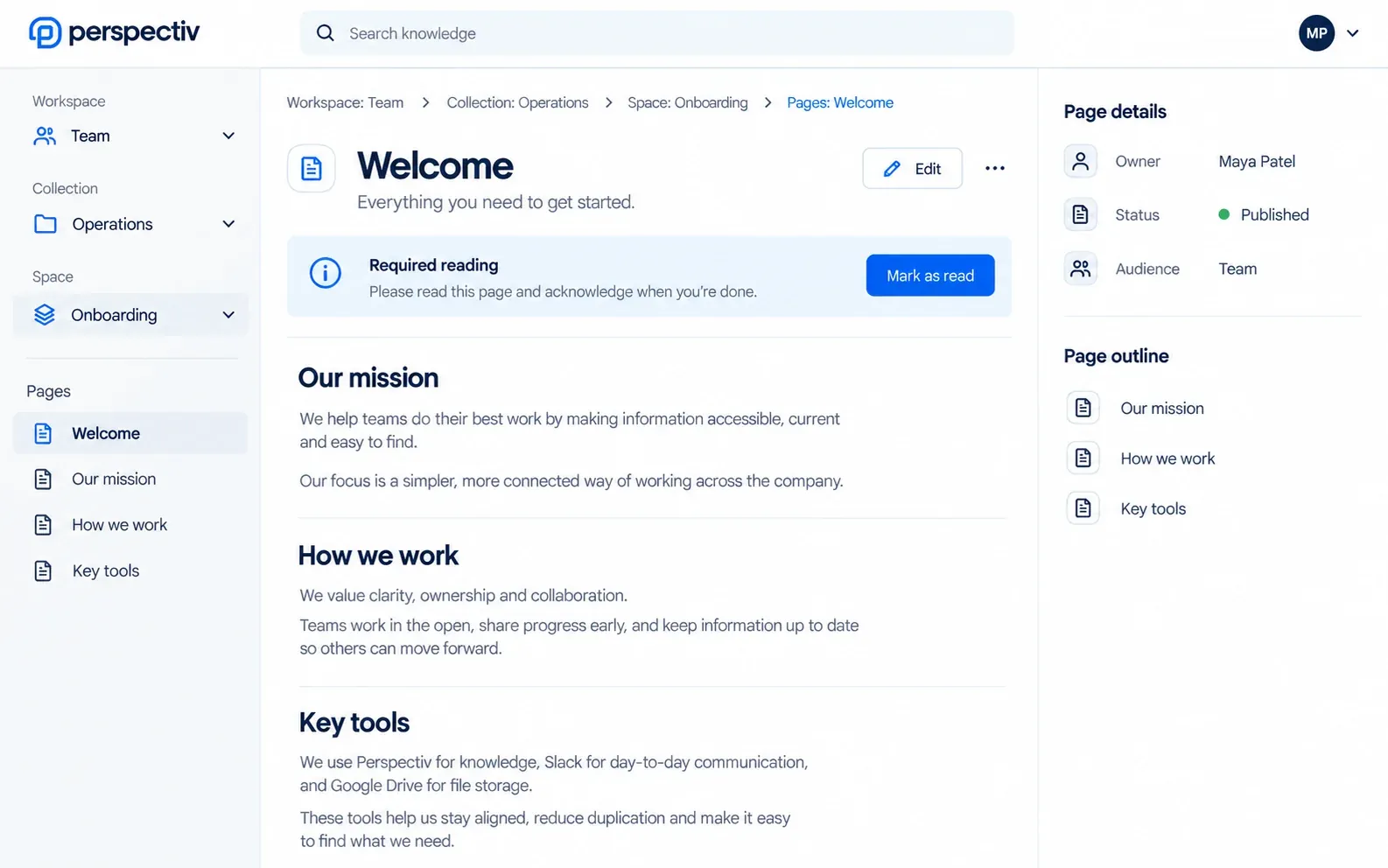
- Organize the contentStructure your content with Workspaces, Collections, Spaces and Pages.
- Write and maintainUse the block editor, drafts, templates and reusable snippets to create and update content.
- Choose the audienceDecide who should see each Space and prepare the content for the right audience.
- Publish the SitePublish selected Spaces to a Site with its own branding, domain and audience access.
Built around your work
- A clear content structureWorkspace → Collection → Space → Pages.
- Author with contextUse the block editor, drafts, templates and reusable snippets.
- Keep content usefulAssign owners and review dates; collect comments and required-reading acknowledgments.
- Publish for the audienceA Site publishes selected Spaces with its own branding, domain and audience access.
Approval workflow and scheduled publishing Later Compare and restore any revision Later
Everything in Knowledge hub
Your team’s documentation, intranet and client help centers, easy to find instead of buried in folders and chats. Items marked Later come in a later phase.
Spaces and content
- Collections and guides
- Documentation spaces you organize
- A page tree you can rearrange
- A block-based editor
Authoring and publishing
- Content authoring and publishing
- Drafts and content versioning
- Templates and reusable snippets
- Content owners and review dates
Audiences
- Internal and intranet documentation
- Client and public documentation
- Public and restricted published sites
- Documentation permissions
Published sites
- Combine several spaces into one site
- Publish only selected sections
- Your own branding, themes and domain
- Documentation navigation you design
- Preview a site before publishing changes
- Redirects when addresses change
Who can read
- Access by account, contract, subscription or product
- Single sign-on or magic-link access
- One audience covering several client accounts
- No client ever sees another client’s content
Finding your way
- Search across spaces
- A home page with featured and related content
- Favorites and recently viewed pages
- An outline for long articles
- Link pages to projects, tickets and people
Keeping content healthy
- Autosave that handles simultaneous edits safely
- Comments, feedback and required reading
- Usage reports, including searches that found nothing
- Branded PDF export of pages and sections
- Approval workflow and scheduled publishing Later
- Compare and restore any revision Later
Connected across Perspectiv
Each module keeps its own availability.
Common questions
Questions
Is Site another level inside the content hierarchy?
No. Site is a separate publishing layer over selected Spaces.
What is marked Later?
Approval workflow, scheduled publishing, and comparing or restoring revisions are Later.