Perspectiv private beta · Q2 2027 · CRM and Knowledge hub first. Other capabilities follow in stages.Apply for the private beta →
Follow the work.
From budget to forecast, with everything in context.
- Set the budgetBuild annual or periodic budgets by department and organization.
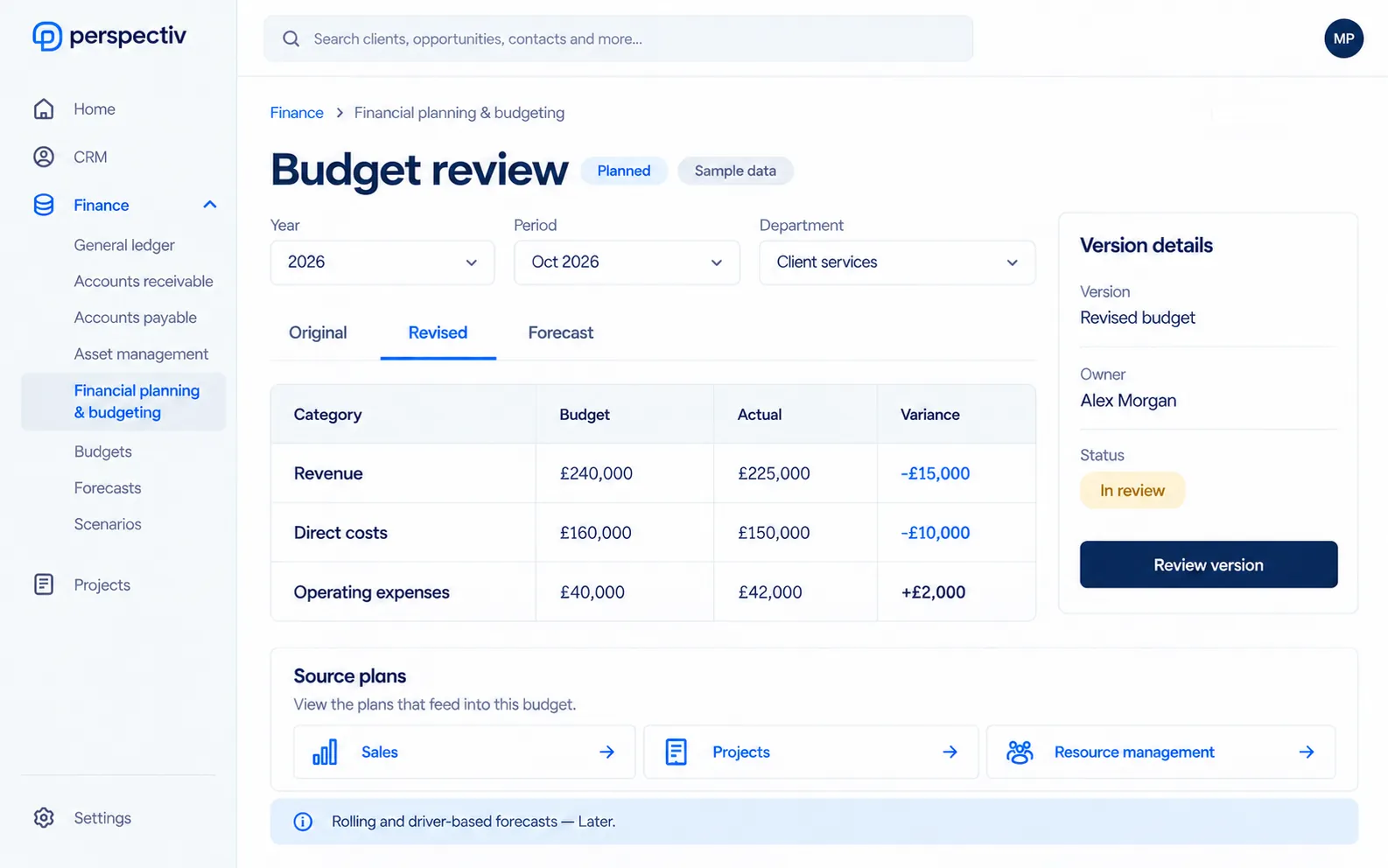
- Compare the versionsKeep original, revised, forecast and scenario versions.
- Follow actualsSee where revenue and expenses differ from the plan.
- Review the outlookBring sales, project and resource plans into the forecast.
Built around the work.
Tools to plan, compare and understand what is changing.
- Budgets with a historyKeep budget revisions and compare versions without losing the original plan.
- A view of performanceCompare budget with actual revenue and expenses by the parts of the business that matter.
- Forecasts from the workUse sales, project and resource plans to inform financial projections.
- Cash with contextSeparate committed, probable, planned and actual cash in the forecast.
- Capital plans connectedCompare the capital budget with actual capitalized cost.
Rolling and driver-based forecasts Later
Everything in Financial planning & budgeting
Set the plan for the year and see early where you’re heading, using forecasts from sales, projects and resourcing. Items marked Later come in a later phase.
Budgets
- Annual and periodic budgets
- Departmental and organizational budgets
- Budget revisions and versions
- Budget against actual analysis
Forecasts
- Financial forecasts
- Revenue and expense projections
- Cash flow forecasting
- Forecasts from project, resource and sales plans
Scenarios
- Scenario and what-if planning
- Consolidated financial planning
- Original, revised, forecast and scenario versions
- Rolling and driver-based forecasts Later
Cash
- Cash forecast from invoices, subscriptions and projects
- Cash marked committed, probable, planned or actual
- Capital budget against actual capitalized cost
Connected across Perspectiv.
Work with the same data across clients, projects and people.
Common questions
Questions
Can we keep more than one version?
Yes. The planned scope includes original, revised, forecast and scenario versions.
What is marked Later?
Rolling and driver-based forecasts remain Later.