Perspectiv private beta · Q2 2027 · CRM and Knowledge hub first. Other capabilities follow in stages.Apply for the private beta →
How it works
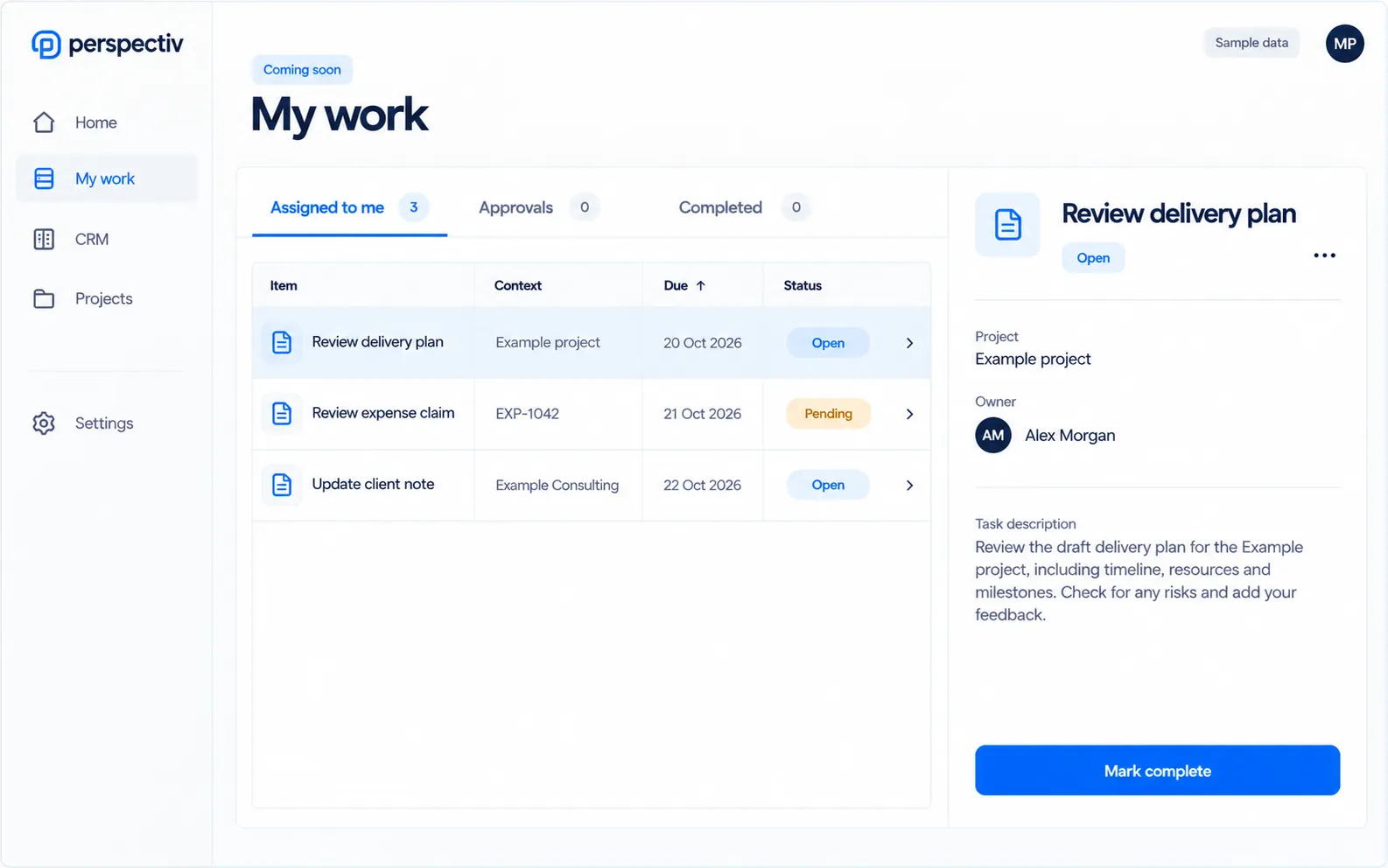
- See what is assigned
- Open the context
- Review the action
- Keep the history
Built around the work
- Assigned work togetherTasks and actionable items from the areas you use.
- A clear approval queueSee what is waiting for your review.
- A record of each stepFollow workflow progress and change history.
- Notification preferencesOrganize preferences. In-app notices now; email, Teams and digests are Later.
Email notifications Later Daily and weekly digests Later Notifications in Microsoft Teams Later Quiet hours in each person’s time zone Later Critical alerts that need acknowledgment Later
Everything in Workflow, notifications and My work
The routine steps, reminders and approvals, handled the same way in every area, with your to-dos in one list. Items marked Later come in a later phase.
Workflow
- Approvals and multi-step workflows
- Rules that take care of routine steps
- A full history of every change
My work
- Assigned tasks in one place
- Approvals waiting for you
- Actionable items from every area
Notifications
- A notification center
- Notification preferences
- In-app notifications
- Email notifications Later
- Daily and weekly digests Later
More notifications
- Notifications in Microsoft Teams Later
- Quiet hours in each person’s time zone Later
- Critical alerts that need acknowledgment Later
Connected across Perspectiv
Each capability keeps its own availability.
Common questions
Questions
Which notification capabilities come later?
In-app and email delivery, Teams, digests, quiet hours and critical-alert acknowledgments are labeled Later.