Perspectiv private beta · Q2 2027 · CRM and Knowledge hub first. Other capabilities follow in stages.Apply for the private beta →
Follow the work.
From setup to replenishment, keep inventory accurate and connected to the rest of the business.
- Define the stockSet up items, warehouses and storage locations.
- Record movementReceive, issue, transfer and adjust inventory.
- Check the positionReview availability, reservations and counts.
- Plan replenishmentUse reorder settings and suggestions for the next request.
Built around the work.
Practical tools to keep stock accurate, traceable and ready for what’s next.
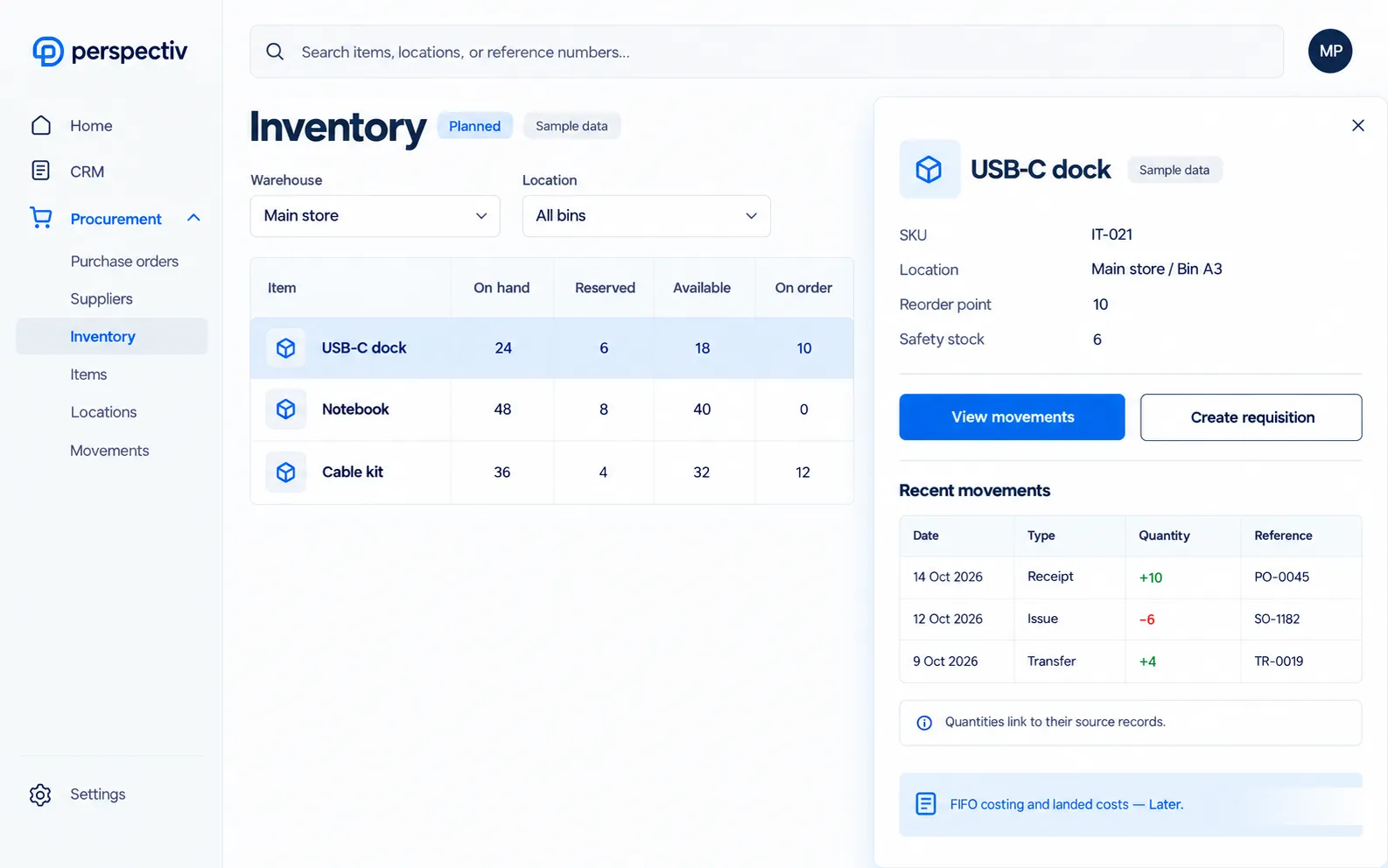
- A clear stock positionSee on-hand, available, on-order and in-transit quantities by location.
- Movement you can traceFollow receipts, issues, transfers, adjustments and project material consumption.
- Detail when it mattersUse bins, quarantine areas, lot and serial tracking, expiry warnings and barcode scanning.
- Replenishment with controlsSet minimums, maximums and safety stock, with approval for large adjustments.
- Cost connected to the booksUse moving-average or standard costing and reconcile stock value to the general ledger.
FIFO costing and landed costs Later
Everything in Inventory management
Know what’s in stock, and where, without counting by hand. Usable on its own, without Purchasing or Finance. Items marked Later come in a later phase.
Stock
- Inventory item master
- Warehouses and storage locations
- Inventory balances
- Inventory reservations
Movements
- Inventory receipts and issues
- Stock transfers
- Inventory adjustments
- Cycle counts and physical counts
Connected
- Basic replenishment
- Project material consumption
- Linked to Purchasing, Sales and Finance
- Inventory valuation and costing
Visibility
- On hand, available, on order and in transit
- Click any quantity to see what’s behind it
- Bins and quarantine areas
- Lot and serial tracking
- Expiry tracking with expiring-soon warnings
- Barcode scanning with a camera or scanner
Replenishment and costing
- Minimum, maximum, reorder point and safety stock
- Reorder suggestions become purchase requisitions
- Approval for large adjustments
- Moving-average and standard costing
- Stock value reconciles to the general ledger
- FIFO costing and landed costs Later
Connected across Perspectiv.
Keep inventory in sync with the areas you use, so information flows and work stays connected.
Common questions
Questions
Can Inventory stand on its own?
Yes. Inventory management is usable without Purchasing or Finance.
Which costing features are Later?
FIFO costing and landed costs remain Later.