Perspectiv private beta · Q2 2027 · CRM and Knowledge hub first. Other capabilities follow in stages.Apply for the private beta →
How it works
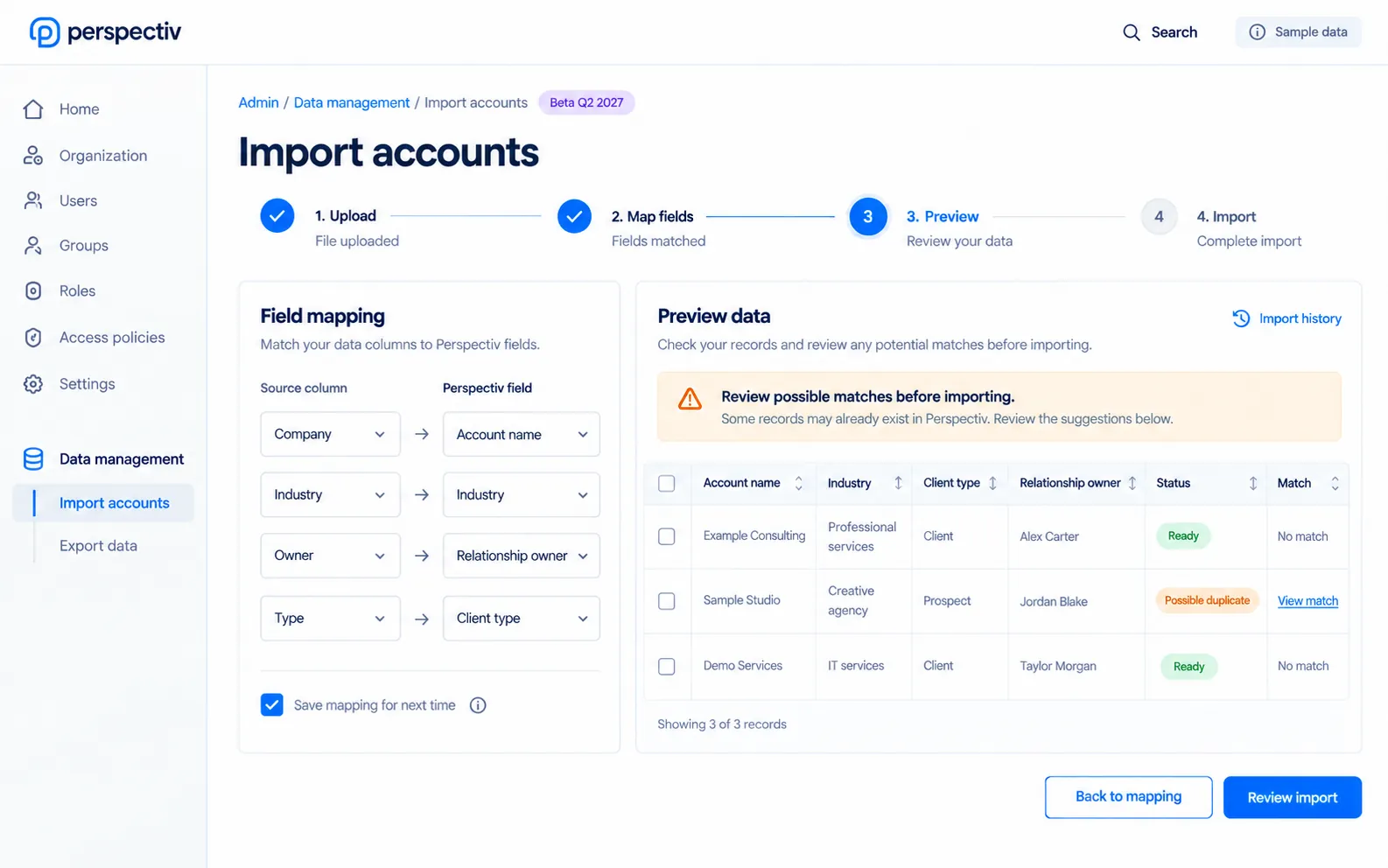
- Map the fileChoose fields and reuse a saved mapping.
- Review the previewCheck validation and possible duplicates.
- Import with historyTrack the job and retain a recovery path.
Five ways data management helps you
- Field mappingMatch source columns to the right record fields.
- Preview and validateReview the data before records are created.
- Duplicate checksIdentify possible matches before an import.
- Saved mappingsReuse a mapping for the next file.
- Recovery and historyTrack jobs, undo an import and recover discarded records.
Everything in Data management
Bring data in, keep it clean and get it back when something goes wrong.
Imports and exports
- Data imports with field mapping and preview
- Exports from any list
- Data migration from your previous system
- Saved import mappings
Quality
- Data validation
- Data maintenance
- Duplicate checks before records are created
- Undo an import
Recovery and jobs
- Trash and recovery
- Data management jobs
- Import and export history
Works together as you grow.
Bring records into CRM, map against the configured fields and monitor data jobs as the platform grows.
Common questions
Questions
Can we export our data?
Exports are available from lists.
Can an import be reviewed first?
Yes. Mapping, validation and preview come before record creation.