Perspectiv private beta · Q2 2027 · CRM and Knowledge hub first. Other capabilities follow in stages.Apply for the private beta →
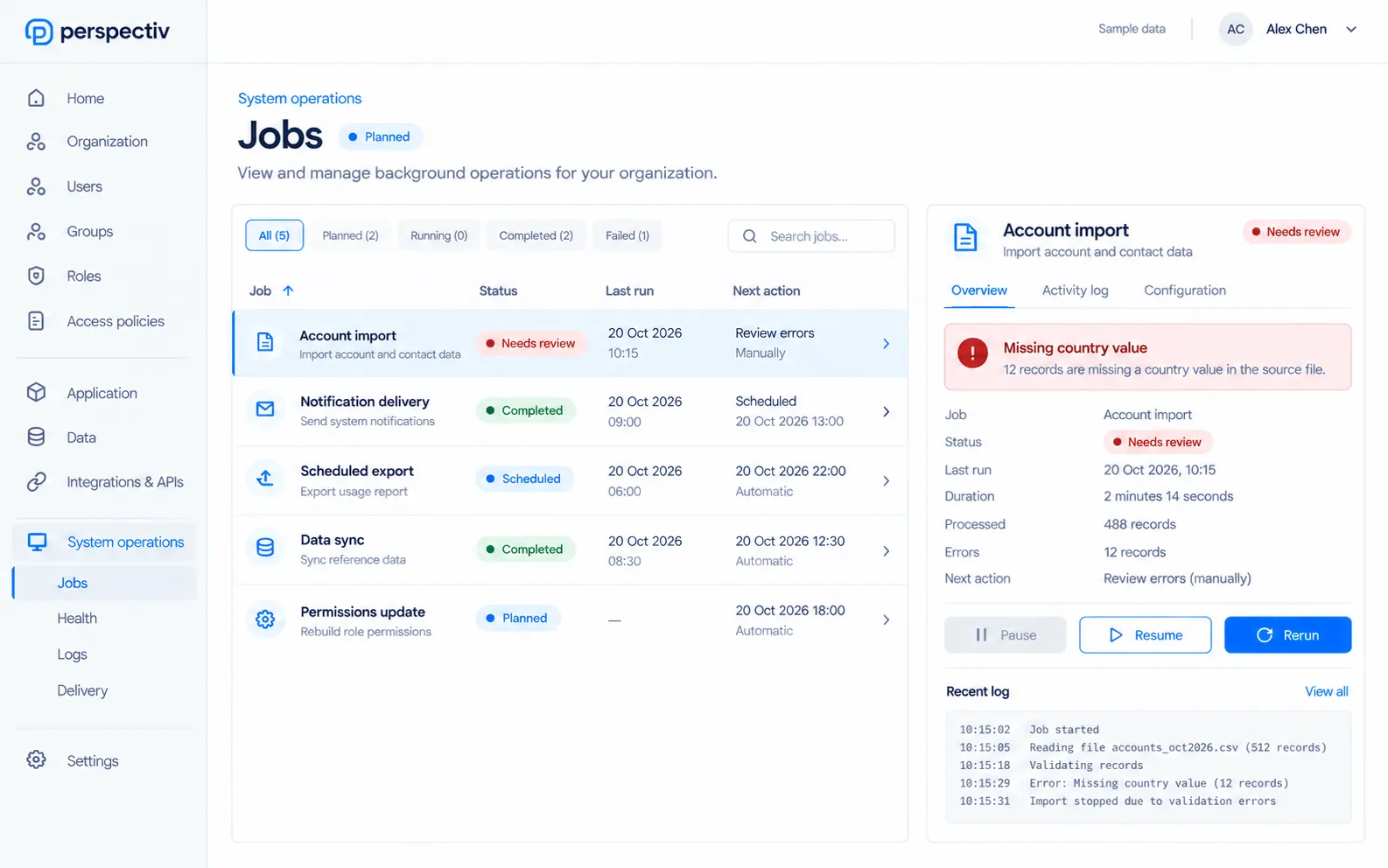
From the queue to resolution.
Go from awareness to action, with the right information at each step.
- Watch the queueSee what is scheduled, running or blocked.
- Inspect the exceptionRead diagnostics and relevant log entries.
- Take the next actionPause, resume or rerun the job as appropriate.
Keep system operations under control.
The tools to monitor, diagnose and recover when needed.
- Background jobsView scheduled and running work in one queue.
- Controlled recoveryPause, resume or rerun a job.
- Health and diagnosticsSee the signals behind an operational issue.
- Operational logsFollow the activity that led to a failure.
- Notification deliveryInspect delivery issues alongside system activity.
Everything in System operations
See that everything is running, and why when it isn’t.
Jobs
- Background jobs
- Scheduling
- Pause, resume and rerun jobs
Health
- Health monitoring
- Diagnostics
- Operational logs
Activity
- Notification delivery monitoring
- System activity
- Failures shown to administrators
A growing administrative foundation.
Bring data jobs, integration issues and workflow execution into administrative oversight as each capability becomes available.
Common questions
Questions
Who sees these failures?
Operational failures are shown to administrators.
Is this a personal notification inbox?
No. This monitors system work and delivery; personal notifications stay separate.